
Seasony OS: Finalizing UI for launch
Took end-to-end ownership of outstanding UX/UI work and collaboration with developers before launch of the MVP.
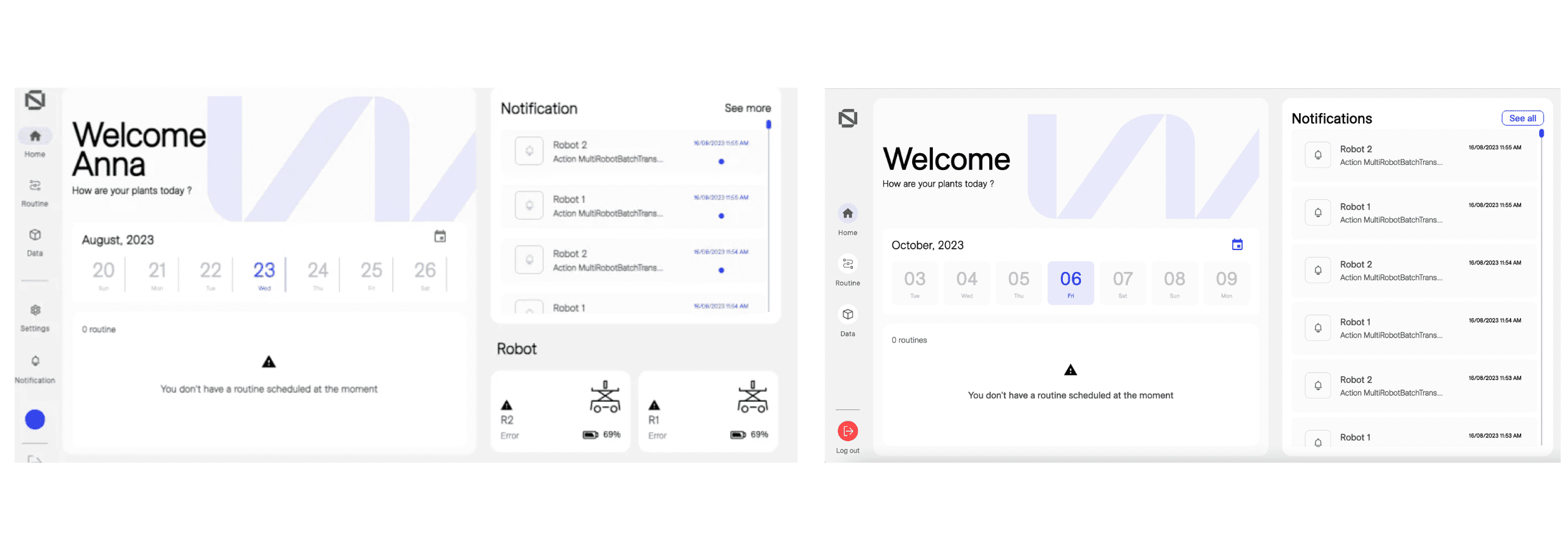
The brief
Context · Requirements · Goal
The OS had been in development across multiple design iterations, with components, auto layouts, and screens spread across several Figma files. The product was close, but not ready. The brief from my manager was:
“Finalize the outstanding front-end issues in the current version of the OS making it ready to deploy to the production environment and to demonstrate to potential customers at conferences and sales calls.”
Before diving into Figma, I spent time familiarizing myself with the existing system, understanding how the components were structured, how the auto layouts worked, and where the gaps were. Previous designers had built solid foundations, but there was a meaningful backlog of unresolved issues.
Mapping the backlog
Issue audit · Backlog visualization · Prioritization matrix
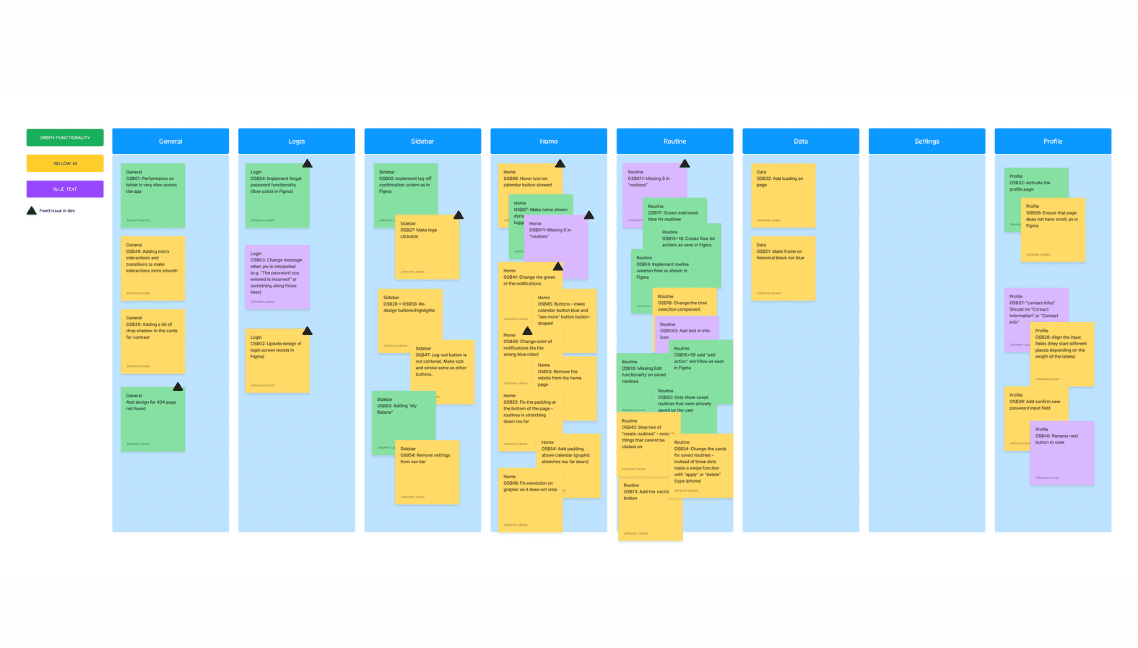
The existing issues lived in an Excel sheet. I worked through these with the developers, and we each independently noted the issues and UI fixes we could identify. Together we built a structured, numbered backlog, categorizing each item so it was easy to talk about and track.
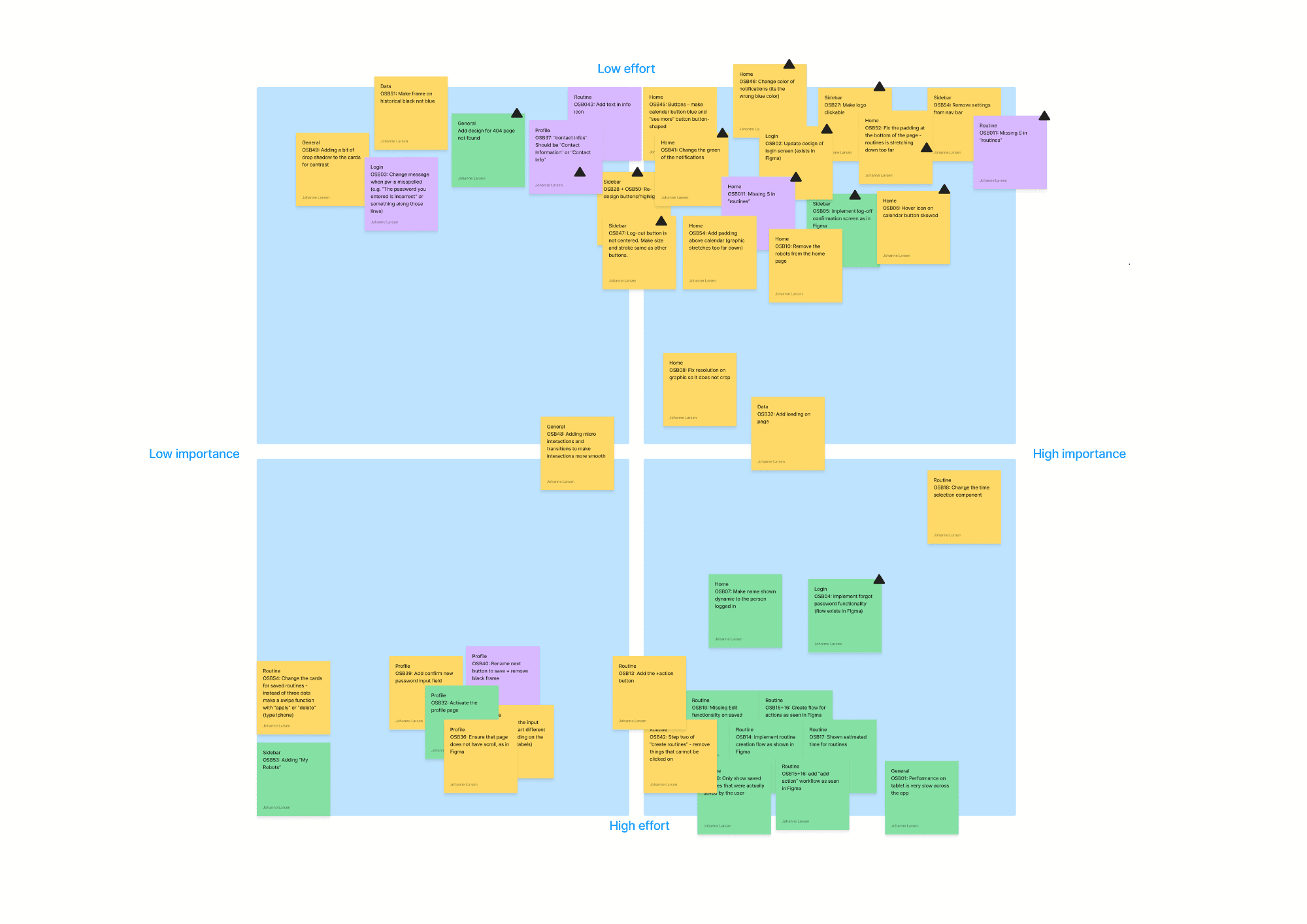
With the backlog mapped, I built a prioritization matrix, plotting each item by perceived complexity vs. value. I then had the web development team validate my assumptions before anything was locked in.
Release plan
Sequencing · Handover structure
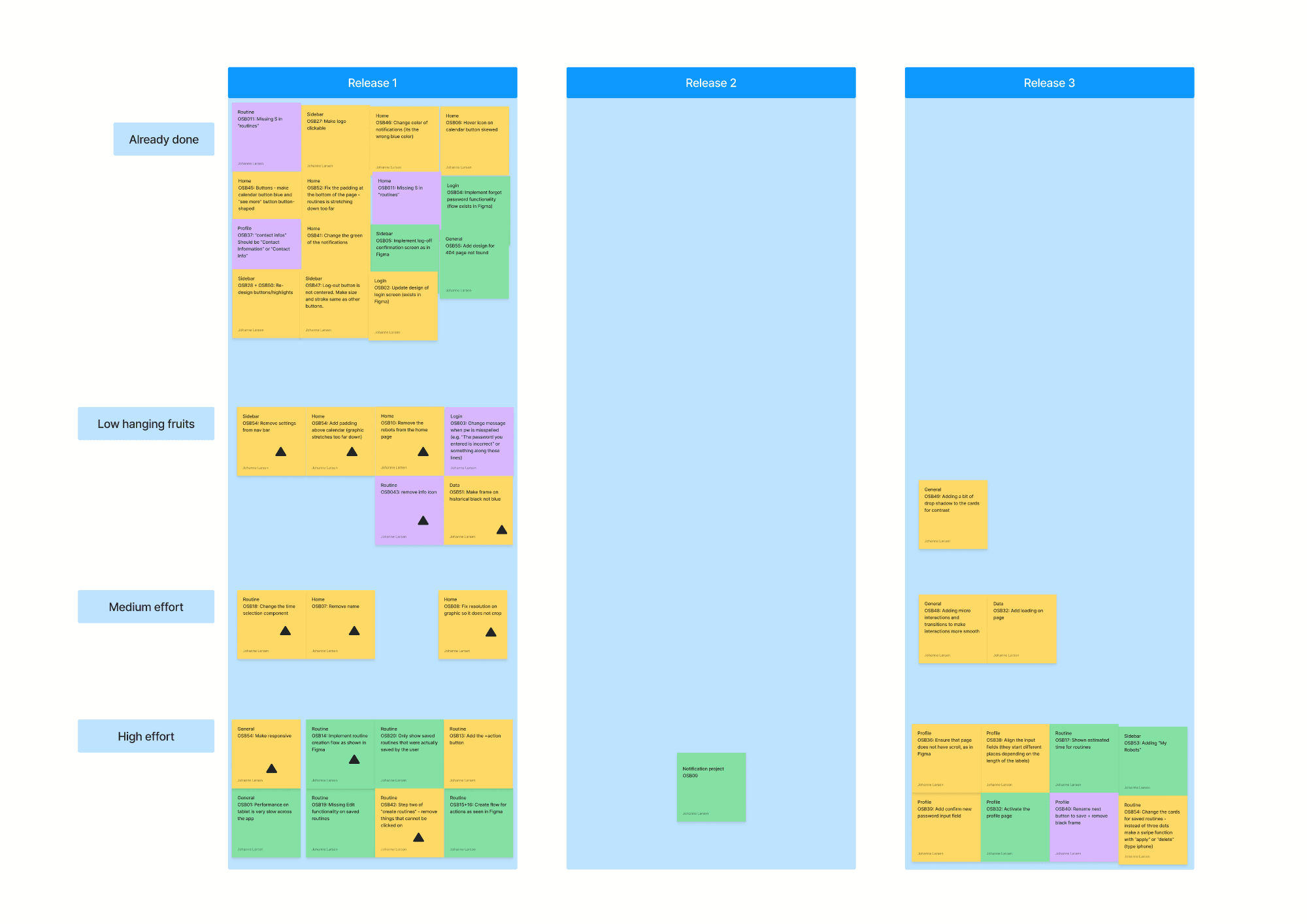
With priorities validated, we built a release plan to sequence the work. This gave both the design and dev side a shared view of what was coming and in what order, making handovers smoother and progress trackable.
Redesign
Working within the design system · Key flows redesigned
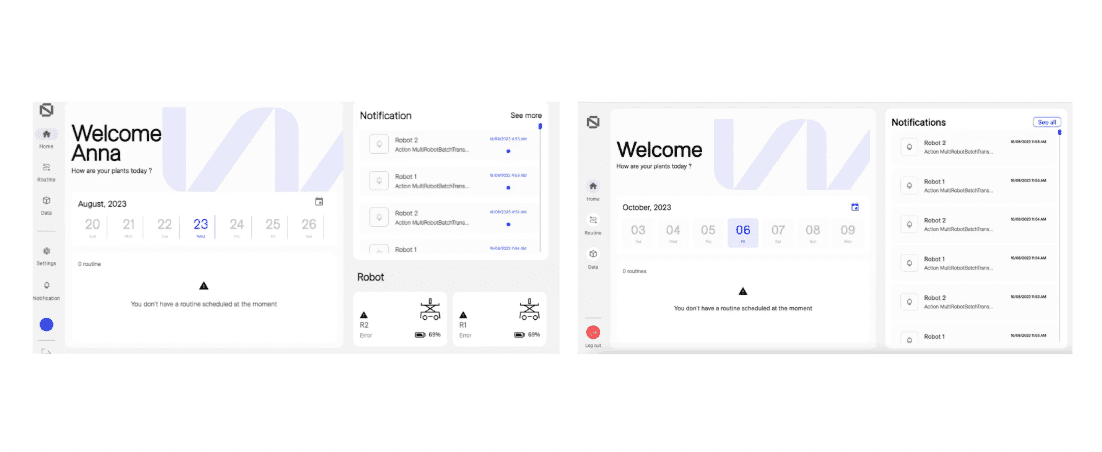
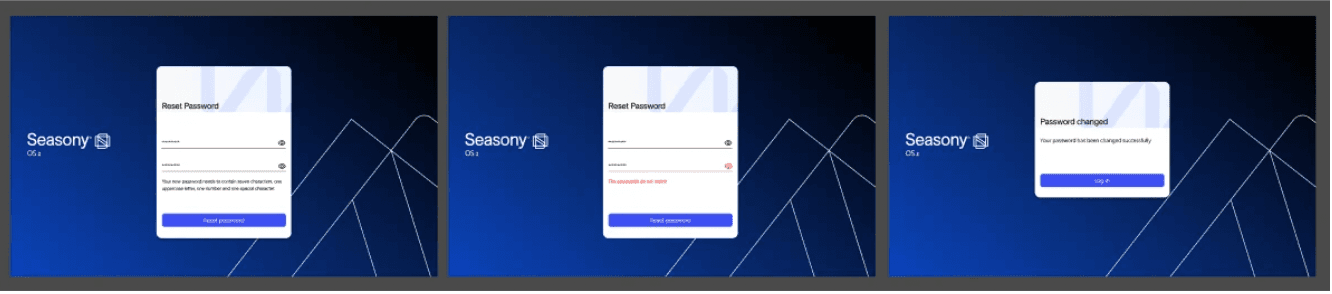
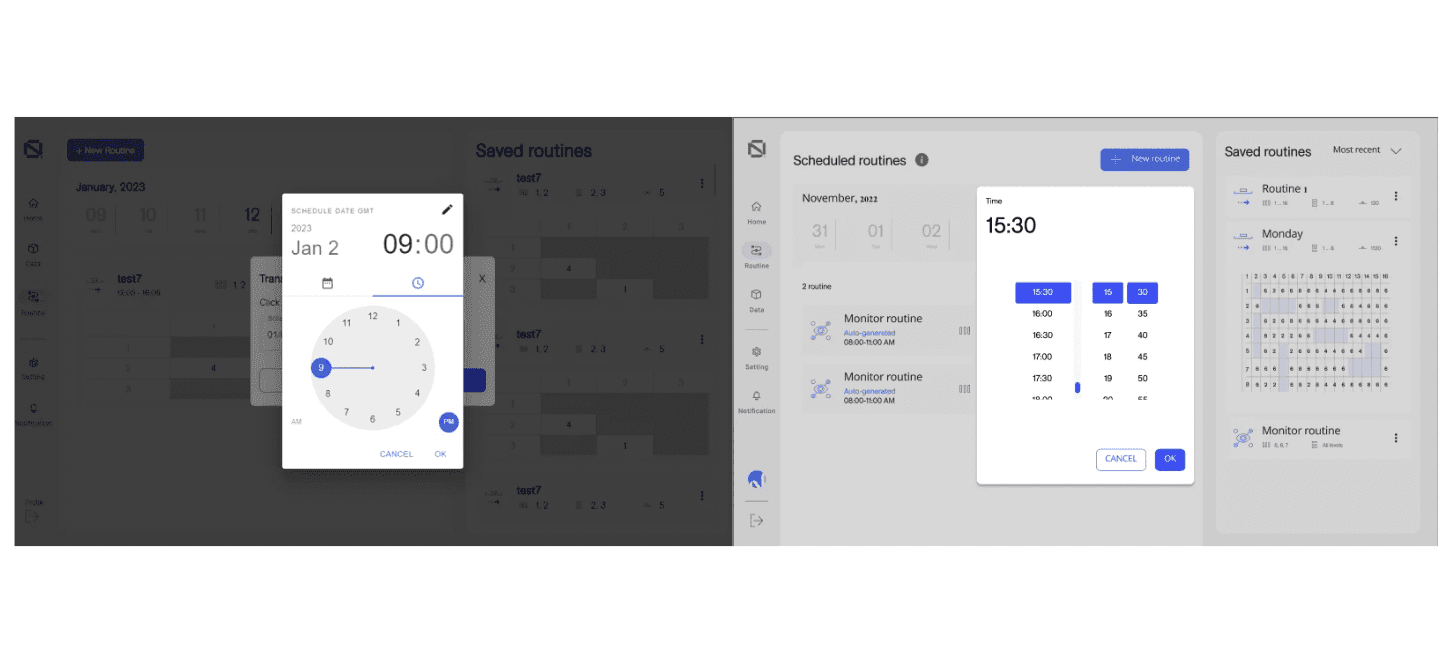
All design work was done inside Figma, strictly within the existing Seasony design system and MUI component library. The most important redesign areas were the routine scheduling flow, the calendar/menu view, the clock, and the reset password flow.
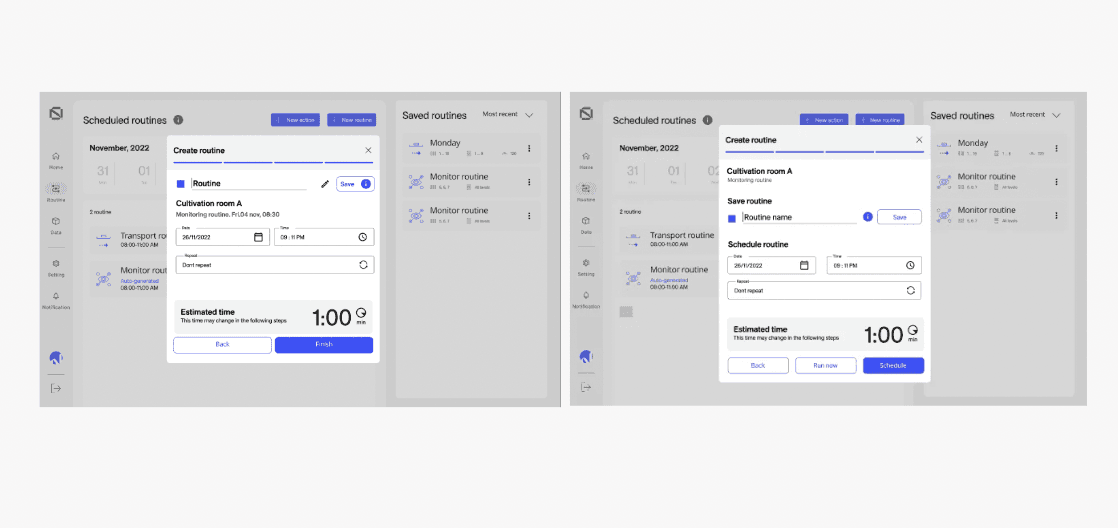
One specific fix in the routine flow: it was unclear to users what would happen after completing the flow. The “edit” function was misplaced, and the heading appeared mid-screen. I moved the overview to the top, added clear headings for the two actions (save for later vs. schedule now), and relocated touch targets that were too small for tablet use.
Outcome
A deploy-ready OS
All prioritized front-end issues resolved and handed over, OS ready for production deployment.
The refined OS was ready to present to potential clients at conferences and sales calls.
All changes built within the existing design system and MUI library, no design debt introduced.
Reflections
This project involved working within an established system and becoming familiar with existing Figma structures, including auto layout and component setup, directly in a production file rather than a tutorial environment. This required quickly adapting to the workflow and constraints of the system in place.
A structured approach to prioritization supported collaboration with the development team. A shared, numbered backlog helped ensure alignment on tasks and reduced ambiguity in discussions.
The prioritization work followed familiar patterns from previous roles, though applied to a different type of output. This helped maintain continuity in the process and supported steady progress through the project.
Overall, the experience highlighted the relationship between structure and design as interconnected parts of the same workflow rather than separate disciplines.